Free HubSpot App

SMS Notifications for HubSpot CRM

Connect your HubSpot CRM to the kwtSMS gateway. Send SMS when deals change, contacts are created, or workflows trigger, in Arabic and English, to customers in Kuwait and 220+ countries worldwide.

Install Free → About kwtSMS

100% Free app. Pay-as-you-go SMS. No contracts.
Use your own private Sender ID so contacts see your brand name, not a random name or number.
18 Years
Established Since 2007
99.8%
Delivery Rate
Forever
Credits Never Expire
$0
Monthly Fee
Features

Everything you need to keep contacts informed

Workflow Actions

Add "Send SMS via kwtSMS" to any HubSpot workflow. Trigger on deal stage changes, new contacts, form submissions, and more.

٭

Arabic + English

Full Arabic and English support in SMS content and workflow labels. RTL text handled correctly with proper character counting.

Personalization Tokens

Write SMS messages with HubSpot personalization tokens in the workflow builder. HubSpot resolves contact properties before sending.

Smart Phone Handling

Automatic normalization of Arabic digits, country prefixes, spaces, and dashes. Coverage checking before every send.

Detailed SMS Logs

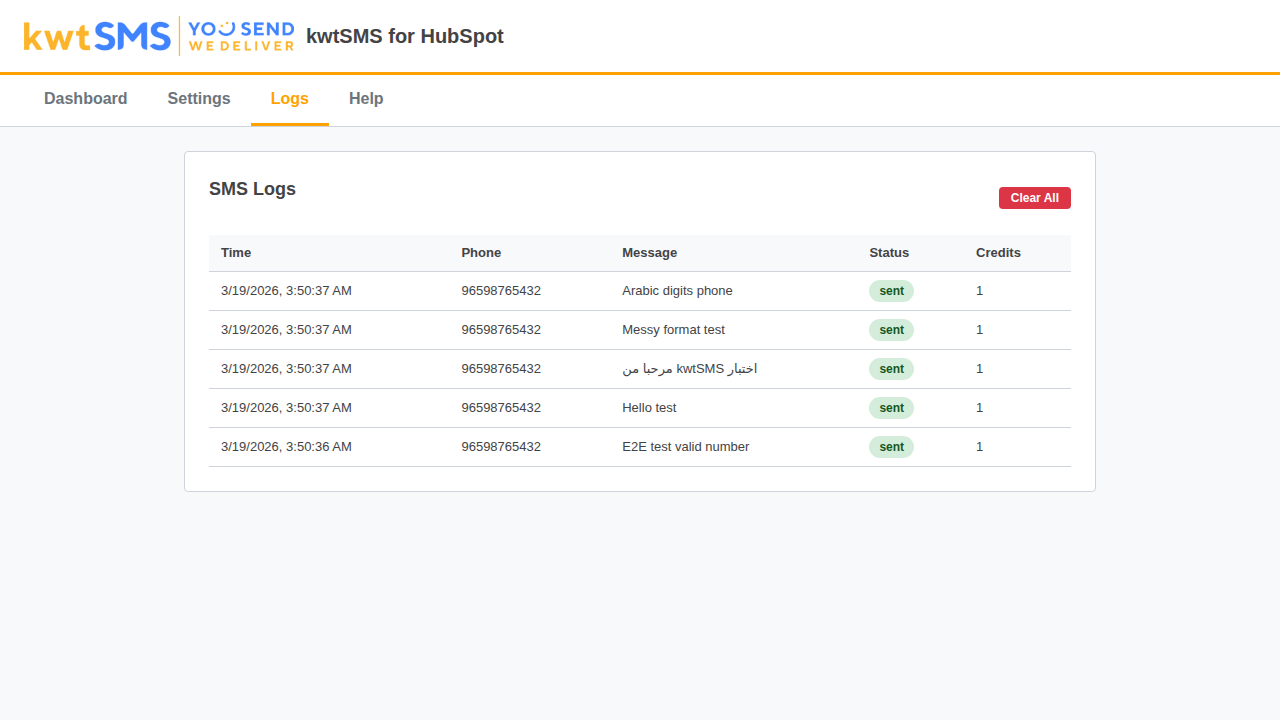
Complete send history with delivery status, error codes, cost tracking. Filter by date, status, or source.

Balance Monitoring

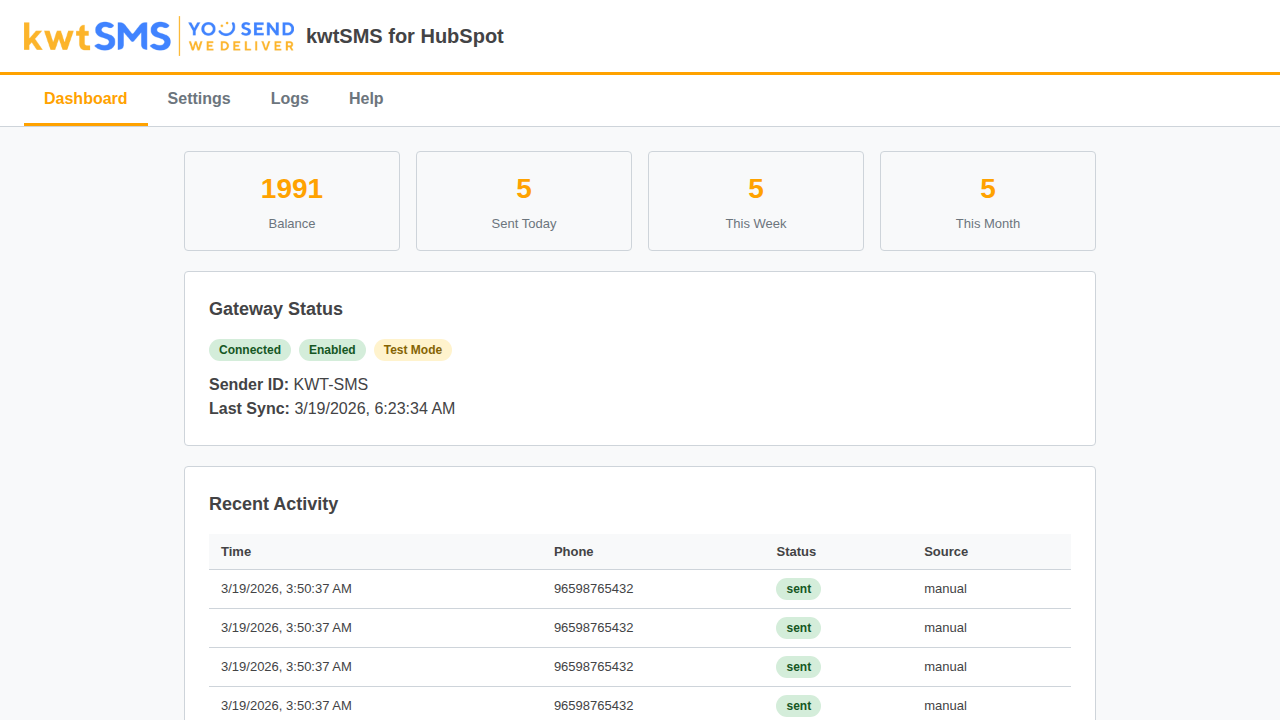
Real-time SMS credit balance on the dashboard with daily auto-sync. Sender ID and coverage management included.

Recipients

Notify your contacts automatically

Workflows send SMS to the contact's phone number from their CRM record. Admin alerts coming in Phase 2.

👤

Contact SMS

Deal updates, appointment reminders, status notifications, and custom messages sent directly to the contact's phone number.

💼

Admin SMS COMING SOON

Get instant alerts on your phone when deals close or contacts register. Configurable admin phone numbers coming in Phase 2.

Triggers

Works with any HubSpot workflow trigger

Deal Stage ChangeLive
New Contact CreatedLive
Form SubmissionLive
Manual EnrollmentLive
Deal Won / LostLive
Contact Property ChangeLive
Ticket Status ChangeSoon
Low Balance AlertSoon
Bulk CampaignsSoon
Setup

Up and running in 3 minutes

1

Install the App

Find kwtSMS in the HubSpot Marketplace and click Install. No payment required.

2

Connect kwtSMS

Enter your kwtSMS API credentials. The app verifies your account and loads sender IDs and coverage.

3

Create a Workflow

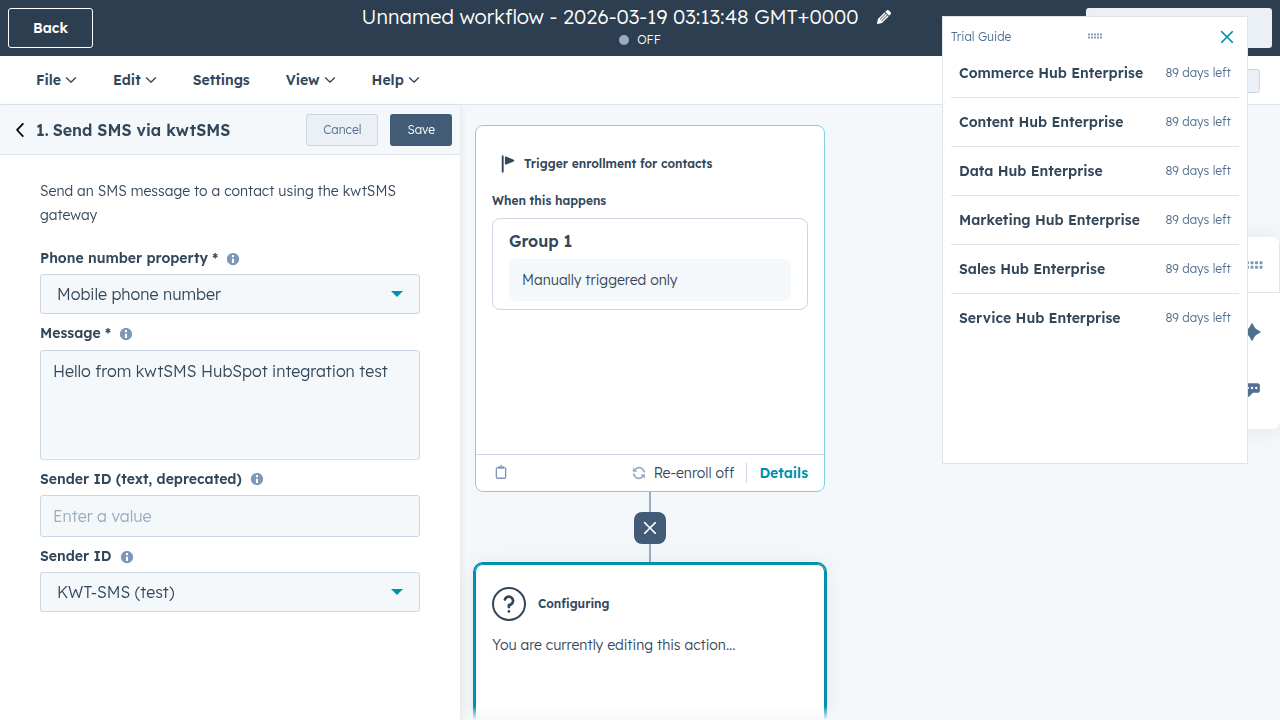
Add "Send SMS via kwtSMS" as an action in any contact-based workflow. Pick the phone property and write your message.

4

Start Sending

Done. Every trigger fires the workflow and sends SMS to your contact automatically.

Roadmap

What's coming next

Phase 2

Templates + Integrations

  • SMS templates with placeholders
  • Per-trigger settings (deals, tickets, forms)
  • Admin SMS alerts (low balance, new deals)
  • Enhanced logs with CSV export
Phase 3

OTP + Security

  • OTP login verification
  • Password reset via SMS
  • CAPTCHA integration
  • Rate limiting per phone/IP
Phase 4

Marketing + Analytics

  • Bulk SMS campaigns
  • Scheduled sending
  • Contact segmentation
  • Analytics dashboard
App Preview

See it in action

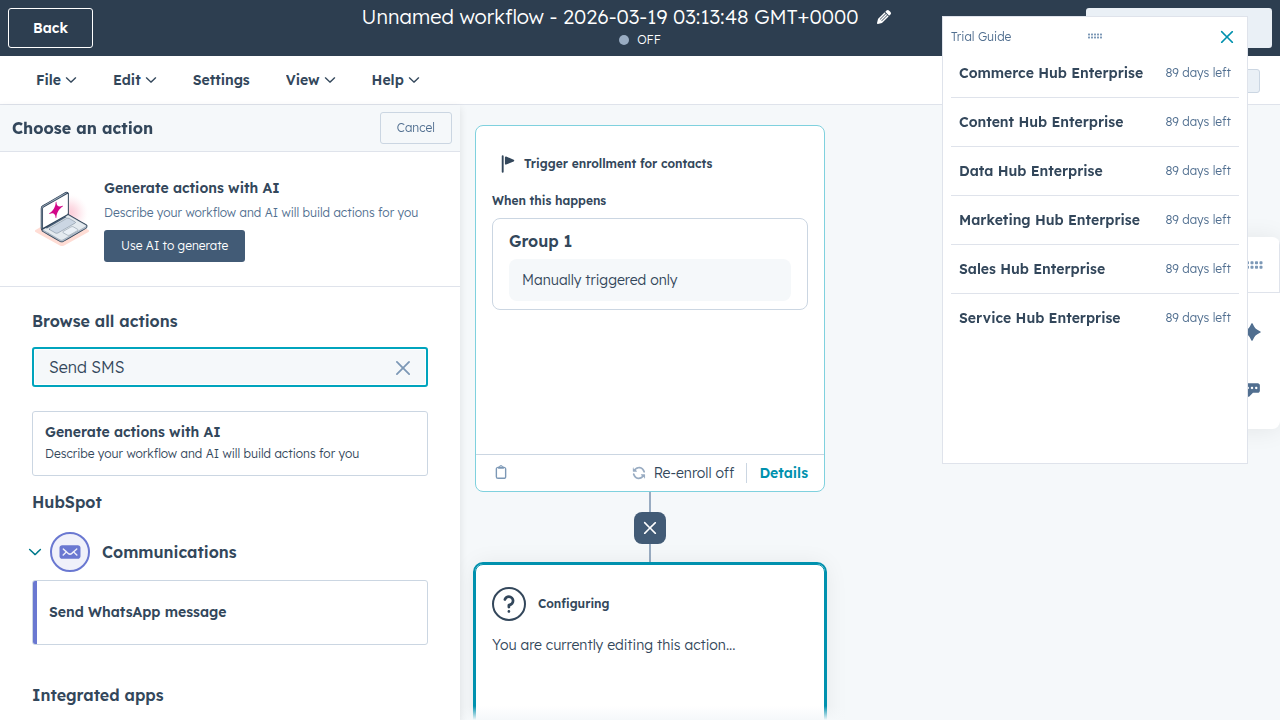
Workflow Builder: "Send SMS via kwtSMS" action in HubSpot workflows
Send SMS via kwtSMS workflow action
Action Config: phone property, message, and sender ID selection
kwtSMS workflow action configuration
Dashboard: gateway status, balance, SMS stats, and recent activity
kwtSMS dashboard
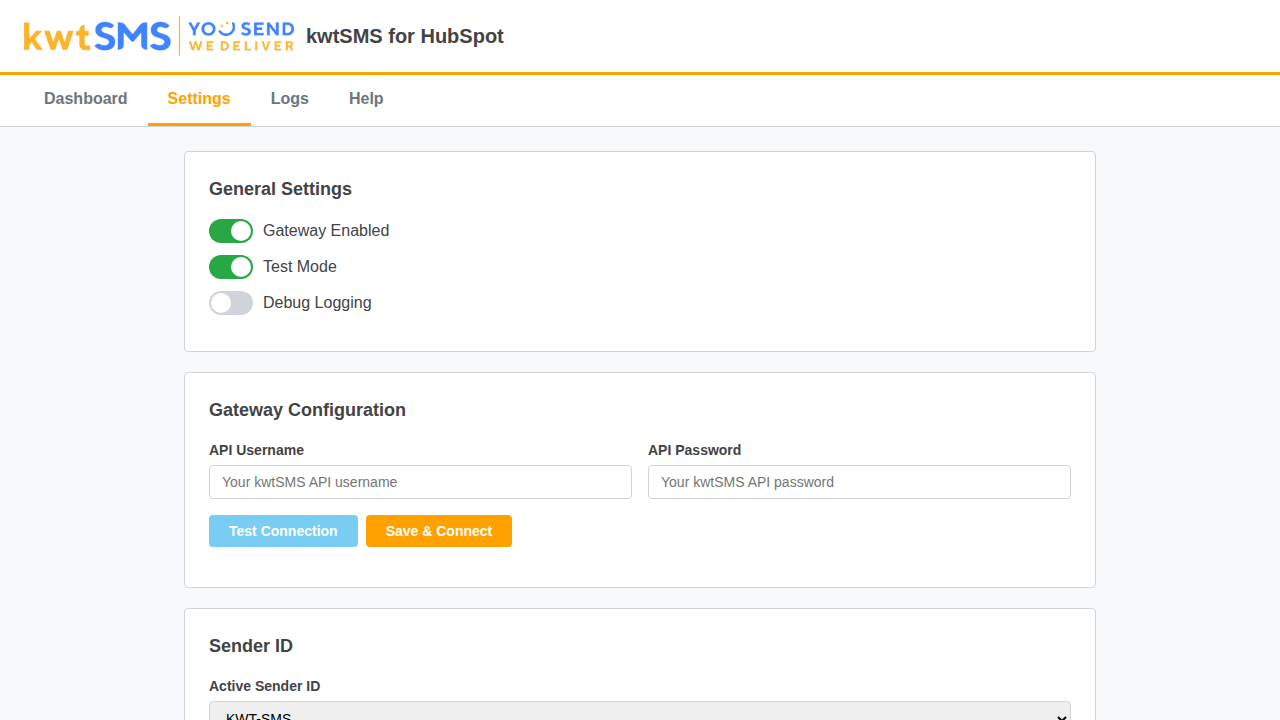
Settings: gateway credentials, login, sender ID, toggles
kwtSMS settings page
Logs: delivery status, recipient, message preview, and credits used
kwtSMS SMS logs

Ready to add SMS to your CRM?

Install kwtSMS for HubSpot from the marketplace. It's free.

Browse HubSpot Marketplace → Sign up for kwtSMS